Localized AI models-
in a Containerized Fashion
Ramalama, Local AI Models and RAGs
We can simply run a local AI model to tinker with it using ramalama. It is really easy to use this tool as you will see below. In order to use a model locally we first need to pull it and then run it. Easy enough right?
            ramalama pull llama3.2

            ramalama run llama3.2

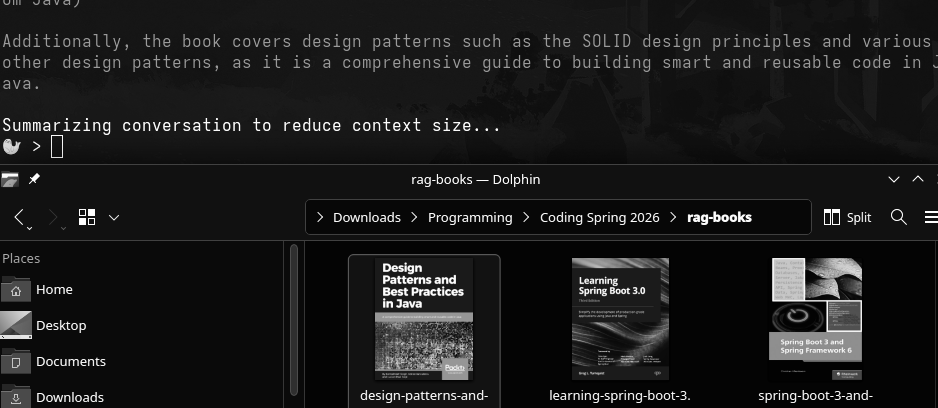
Now, to make it a bit more interesting we can also use ramalama to create our own RAG to complement a model. Firstly, we need to find what files to use. I decided to use a singular Java book I had laying around to test it out.
We create a RAG by specifying it's name and the directory the file lives in. After, we attach the RAG to llama3.2 and run it as seen below.
            ramalama rag "/home/k0st1e/pdf" tiny-rag

            ramalama run --rag tiny-rag llama3.2
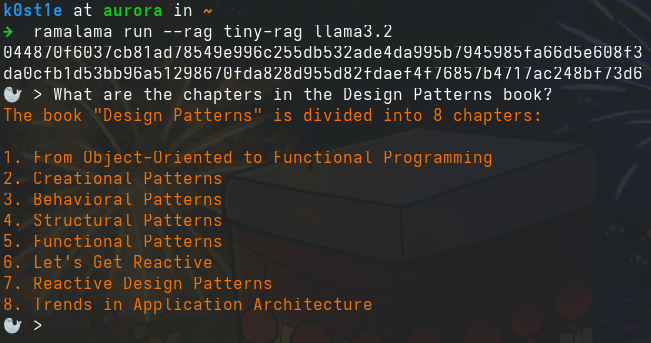
Python and Development Containers with Visual Studio Code
As the previous way of running localized AI with a RAG attached to it was not hands-on with coding, I decided to take it a step further and look into the library of langchain and how to use Dev Containers.
Dev Containers is an easy way to quickly setup an environment to code in a docker container. It provides suggested images for a plethora of different programming languages.
Bridging Ramalama to Python in Visual Studio Code
Before we begin coding, we first need to serve llama3.2 to be able to access and use it with Python via Visual Studio Code.
- Serve llama3.2 on port 8080.
ramalama serve llama3.2 --port 8080
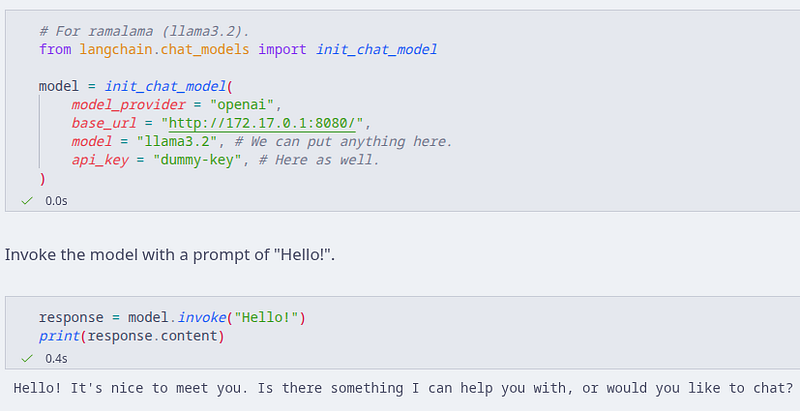
- Initialize a chat model.
- Provide the required provider and URL.
-
modelandapi_keyare "placeholders". We can put anything there but it is a good idea to write the model we are using so we can remember. -
Interact with the model using
.invoke("text-goes-here"). - Documentation on local AI models can be found on langchain's website.
Loading and Converting Documents into Chunks
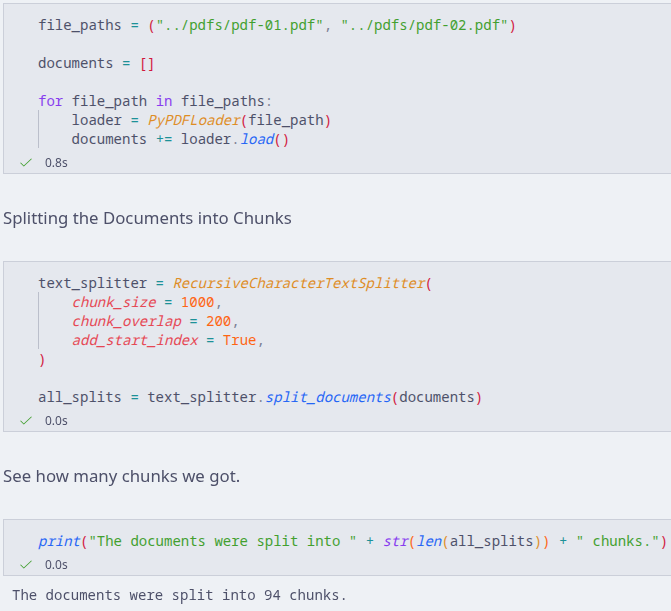
Now that we have a local model that is being served, we can continue and write some small snippets of Python to do two simple jobs; loading some documents and splitting them into chunks.
- Create a Dev Container for Python.
- Write an empty list for our documents.
- Load each document with the Loader into the list.
- Create a Text Splitter to split the documents into chunks.
- As you can see the documents were split into 94 chunks.
Embeddings and the Vector Store
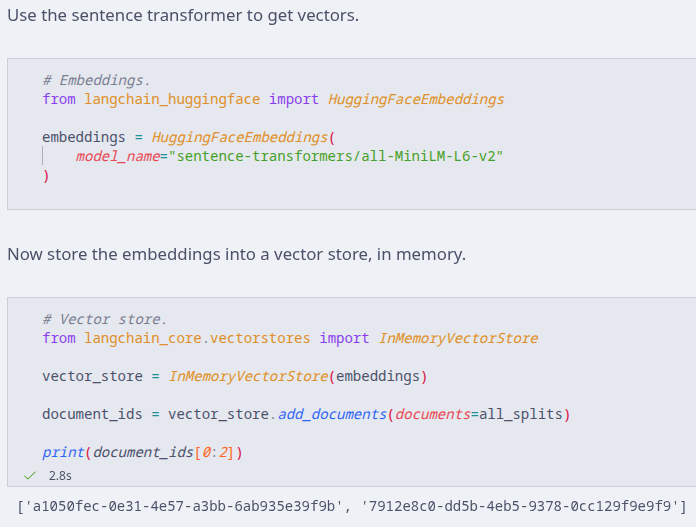
In order to leverage our documents we need to create embeddings from them, store them as vectors and ultimately create an agent that we can use to prompt and get answers. I looked into Hugging Face and used sentence transformers to create embeddings.
- First we create embeddings using Hugging's Face sentence transformer "MiniLM L6 v2".
- Then we create a Vector Store in memory with said embeddings.
- Lastly, we create document id's and print to see them.
Tool and Agent Creation
Moreover, since we now have a vector store, we can now create a tool that will perform similarity searches and help us guide our agent when we perform queries.
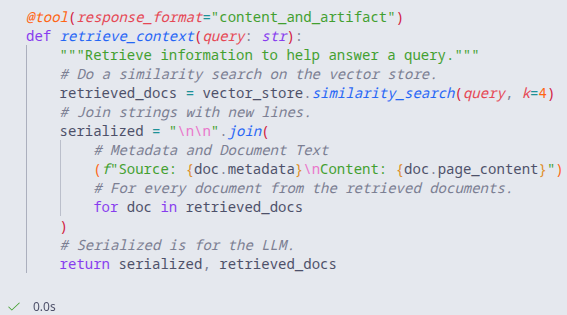
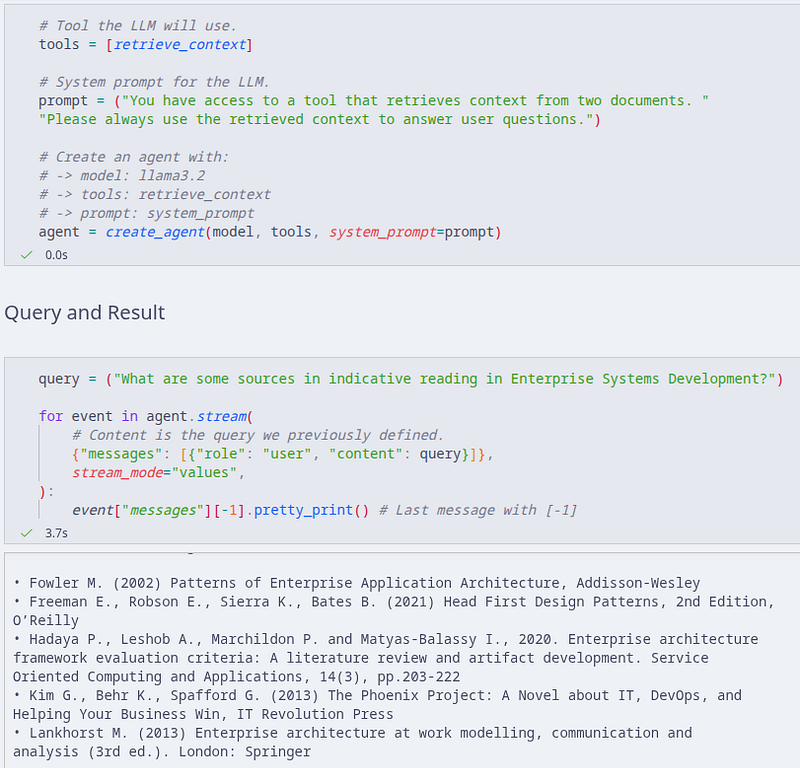
Recapping, we have loaded our documents, created embeddings, stored them into a vector store and created a tool to retrieve context. The only things left to do are to create an agent using a model(llama3.2), leverage the tool and run a test query with the agent.
-
toolsis what we previously defined, the function that performs similarity searches from the retrieved documents. -
promptis the system prompt the agent needs. In this case, we tell the agent that it has access to a tool and to answer questions from the retrieved context. -
modelis readily available as we have already used it in the beginning.
The PDFs I used for the agent were some guides that have indicative learning sections hence the prompt. As you can see, the agent replies with said indicative reading books that are in the guides.
References
- Aurora Documentation
- Ramalama RAG Docs
- Langchain Base URL Docs
- Langchain RAG Agent
- Langchain & Hugging Face
- Dev Containers
That's all folks. Thanks for reading!